1
Set a goal and a study rhythm
Tell the app what you are working toward and how much time you have, whether that is one passage a week or the whole Bible in a year. That gives your plan a practical starting point.
Connect your goal and your study time to a weekly rhythm and a daily plan that is planned to respond to your progress.
See how it works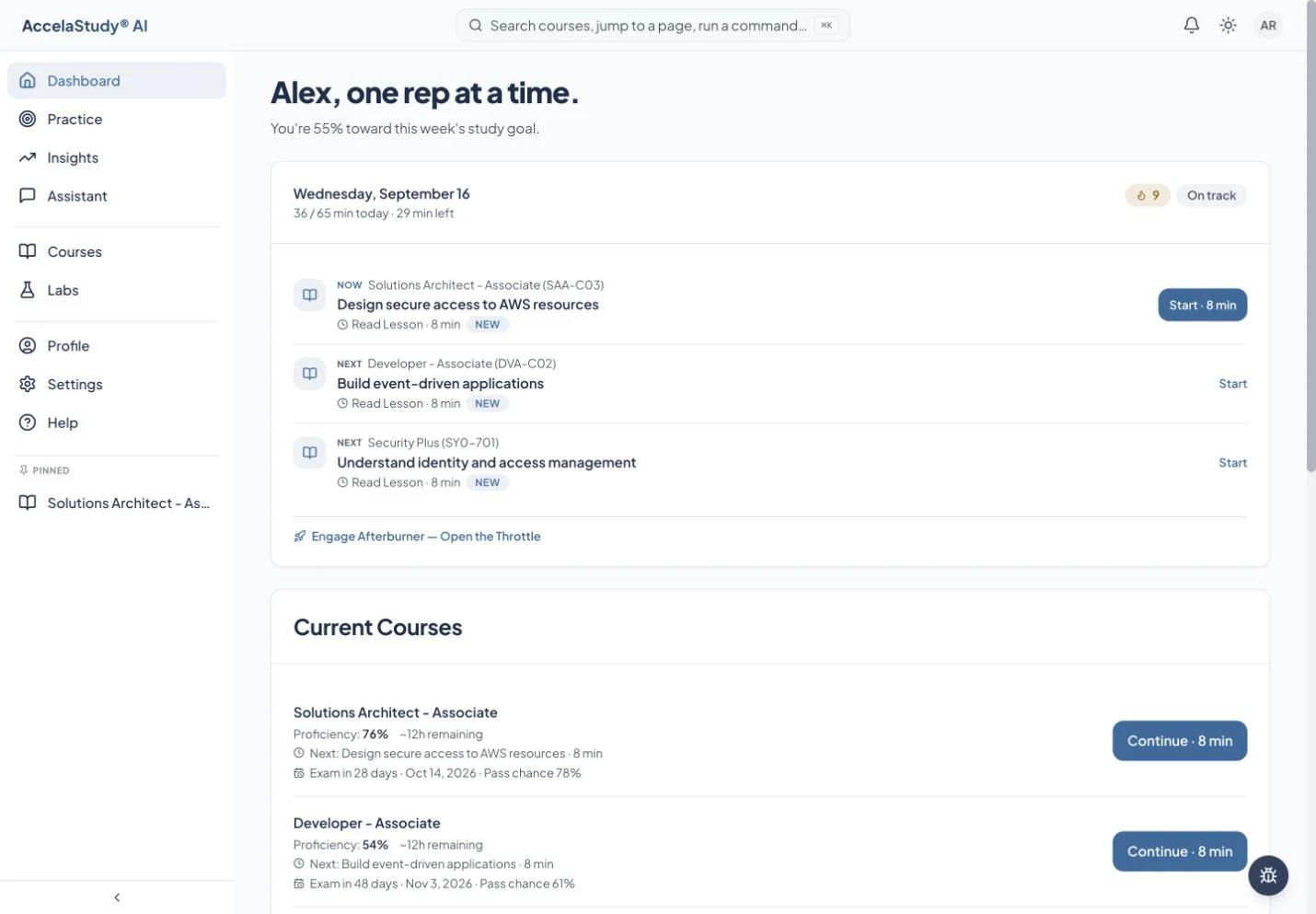
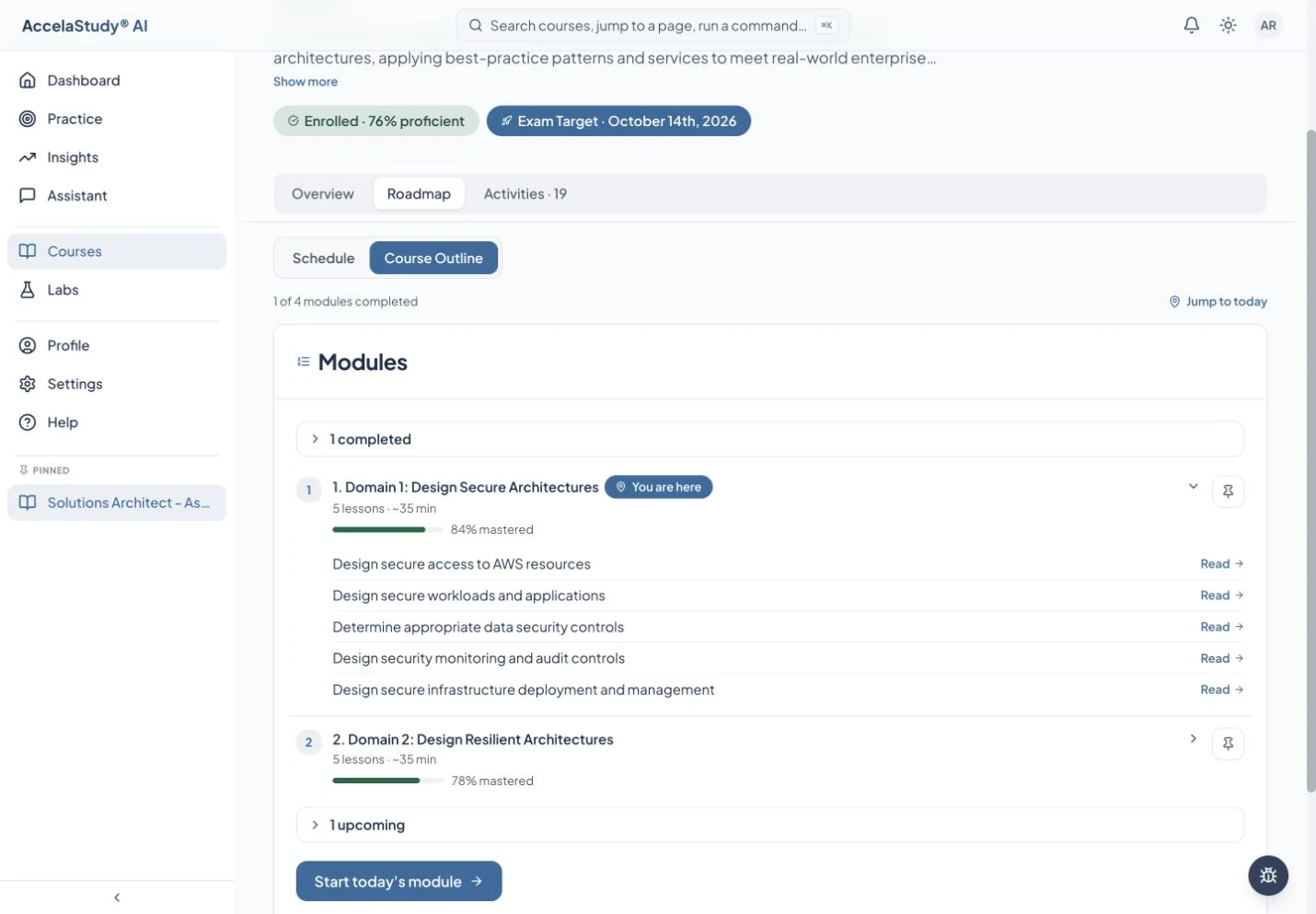
Screens from today’s AccelaStudy AI study app, with an illustrative learner in certification courses. AccelaStudy AI Bible is coming soon.
Autopilot is planned to turn the family cycle, or a course of your own, into a routine that fits your household’s week. The dashboard shows what comes next, and the course roadmap shows the whole outline.
Tell the app what you are working toward and how much time you have, whether that is one passage a week or the whole Bible in a year. That gives your plan a practical starting point.
Open a course’s Roadmap to see its outline, unit by unit, with the lessons inside each one.
Return to the daily runway as your progress develops. It is planned to carry what is due that day, from the week’s passage to a key verse to review.
Planned for AccelaStudy AI Bible, which is coming soon. The screens on this page show today’s study app with an illustrative learner in certification courses.
AccelaStudy AI Bible is coming soon. Join the waitlist and we'll email you when it opens.